Quazi
July 7, 2026
Optimizing WordPress Site Load Times: Prioritizing and Lazy Loading Comments
Optimizing WordPress Site Load Times: Prioritizing and Lazy Loading Comments
Improving WordPress site load times is one of the most important actions you can take to offer a better user experience, retain visitors, and boost SEO rankings. One often overlooked culprit for slow loading is the comment section—especially on posts with hundreds of comments. In this guide, we’ll explore how prioritizing and lazy loading comments can dramatically speed up your WordPress site, with actionable steps and plugin recommendations.
Why Comments Impact WordPress Site Load Times
WordPress natively loads all comments when a post is viewed. On popular posts, this can mean hundreds or thousands of comment entries, avatars, and nested replies—all being rendered instantly alongside the main content. This:
- Increases page size and server response time.
- Puts strain on your database during heavy traffic.
- Leads to sluggish performance, especially on mobile.
For site owners and bloggers, optimizing comment loading is essential for maintaining fast WordPress site load times.
Prioritizing Comments for Faster WordPress Site Load Times
Prioritizing means ensuring your core content loads first, while comments load after the main page. This approach helps visitors get to your valuable content quickly, without waiting for hundreds of comment elements to render.
Benefits of Prioritizing Comments
- Improved perceived speed: Users see your article immediately while comments load in the background.
- Reduced bounce rates: Faster initial load keeps visitors engaged.
- Better SEO: Google prioritizes sites that deliver main content quickly.
How to Prioritize Comments
- Move comment scripts to the footer: Most WordPress themes load comment scripts (like reply.js) in the header. By moving these to the footer, you allow the main content to render first.
- Use asynchronous loading: Many comment plugins, like wpDiscuz or Disqus, support asynchronous loading. This means comments are fetched separately after the page loads.
- Defer Gravatar images: Gravatar images for commenters can slow down the page. Use plugins like “Disable User Gravatar” or custom code to defer loading these images until after the main content appears.
Lazy Loading Comments for Better WordPress Site Load Times
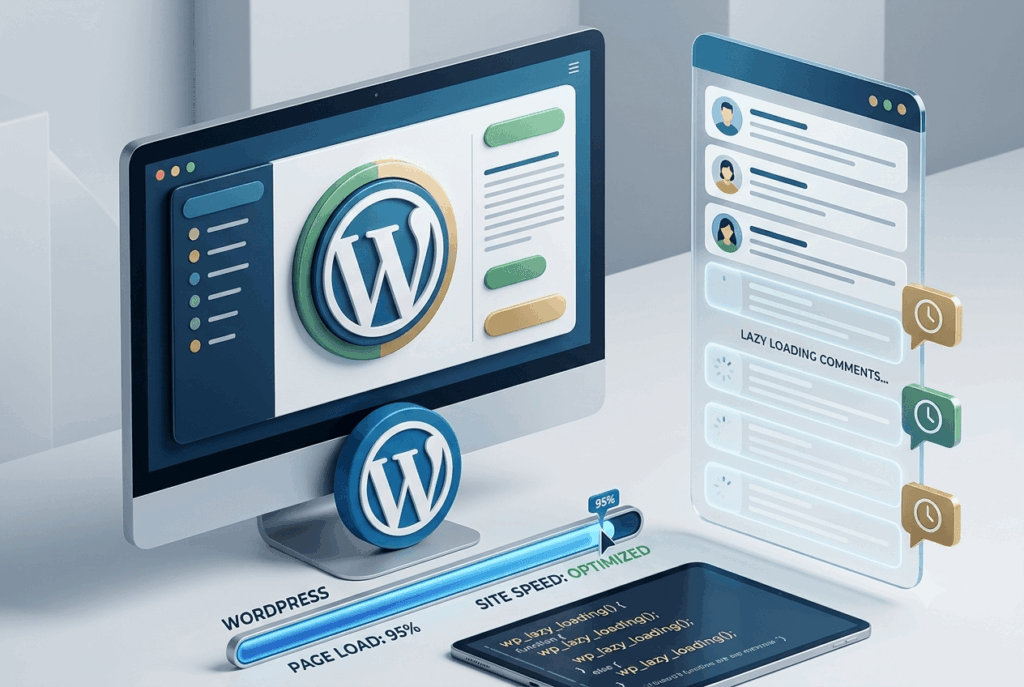
Lazy loading is a technique where content (in this case, comments) is only loaded when it becomes visible or requested by the user. This ensures your WordPress site load times stay fast, even on posts with hundreds of comments.
Advantages of Lazy Loading Comments
- Reduced initial load: Only the first batch (or none) of comments loads on page view.
- Lower bandwidth usage: Only loads what’s needed when it’s needed.
- Smoother mobile experience: Mobile users benefit from smaller page sizes and quicker load times.
How to Implement Lazy Loading for WordPress Comments
There are several methods to enable lazy loading for comments:
- Plugin Solution:
- wpDiscuz: A powerful comment plugin with built-in AJAX and lazy loading features. You can set it to load comments only when users scroll to the comment area.
- Disqus: Popular external comment system that loads comments asynchronously.
- Lazy Load for Comments: This lightweight plugin adds lazy loading to native WordPress comments, replacing the comment section with a button or loading animation.
- Manual Solution:
- For developers, you can use JavaScript to detect when the comment area is visible (using Intersection Observer API) and then fetch comments via AJAX.
- Alternatively, display a “Load Comments” button that triggers AJAX loading when clicked.
Step-by-Step: Setting Up Lazy Loading with a Plugin
- Install and activate the “Lazy Load for Comments” plugin from the WordPress repository.
- Go to Settings > Discussion and configure lazy loading options: choose between loading comments on scroll or on button click.
- Test your site: Visit a post with many comments and check how quickly the main content loads versus the comment area.
- Adjust as needed: If you use custom themes, ensure your comment template is compatible with AJAX loading.
Combining Prioritizing and Lazy Loading for Maximum WordPress Site Load Times Improvement
For optimal results, use both prioritizing and lazy loading. This means:
- Move scripts to the footer (prioritizing).
- Enable lazy loading for the comment section.
- Defer Gravatar images or use placeholder avatars.
With these combined, your visitors see your main content instantly, and comments only load when they’re actually needed. This approach keeps your WordPress site load times fast, even on highly engaged posts.
Testing and Measuring WordPress Site Load Times
After making these changes, it’s crucial to test your site’s performance.
- Use GTmetrix or Pingdom: Check page speed before and after optimization.
- Google PageSpeed Insights: Focus on metrics like First Contentful Paint (FCP) and Largest Contentful Paint (LCP).
- Monitor real user feedback: Ask visitors if they notice improved speed or smoother browsing.
For posts with lots of comments, you should see a significant drop in page size and faster time-to-content.
Additional Tips for Improving WordPress Site Load Times
While prioritizing and lazy loading comments have a big impact, consider these supporting tips:
- Enable caching: Use plugins like WP Rocket or W3 Total Cache to cache pages and database queries.
- Optimize images: Compress and lazy load all images, not just Gravatars.
- Minimize plugins: Deactivate unnecessary plugins that add scripts to every page.
- Update your theme: Modern themes are optimized for fast loading and often support lazy loading natively.
Conclusion: Unlocking Fast WordPress Site Load Times with Prioritizing and Lazy Loading Comments
Optimizing WordPress site load times is essential for delivering a professional, engaging experience. By prioritizing and lazy loading comments, you ensure that your main content always loads fast, while keeping your comment section accessible and interactive. Combine these techniques with caching and image optimization for the ultimate speed boost. Whether you’re running a blog, news site, or community platform, these strategies will help you stay ahead in performance and SEO.
Ready to make your WordPress site faster? Start prioritizing and lazy loading comments today!


Leave A Reply